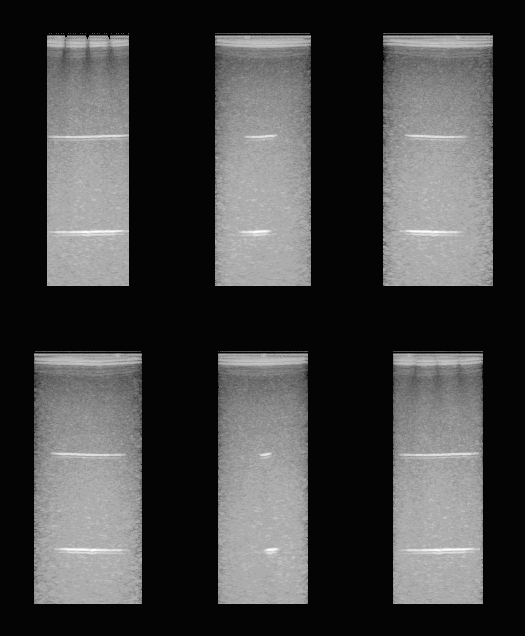
Beamforming to a 3D grid with zea.Pipeline
In this notebook, we demonstrate beamforming 3D data acquired with a matrix probe using a zea.Pipeline.



‼️ Important: This notebook is optimized for GPU/TPU. Code execution on a CPU may be very slow.
If you are running in Colab, please enable a hardware accelerator via:
Runtime → Change runtime type → Hardware accelerator → GPU/TPU 🚀.
[1]:
%%capture
%pip install zea
[2]:
import os

os.environ["KERAS_BACKEND"] = "jax"
os.environ["ZEA_DISABLE_CACHE"] = "1"
[3]:
from zea import init_device
from zea.data import load_file
from zea.ops import (
    Pipeline,
    Demodulate,
    Map,
    EnvelopeDetect,
    ReshapeGrid,
    Normalize,
    LogCompress,
    TOFCorrection,
    DelayAndSum,
)
from zea.visualize import set_mpl_style

init_device(verbose=False)
set_mpl_style()
zea: Using backend 'jax'
[4]:
# Set rate to downscale grid resolution for more efficient beamforming
downscale_rate = 2
First, we download an RF data tensor acquired from a CIRS040 phantom using an 8MHz 32x32 element Matrix probe. We then load the first frame, which is of shape (1, 56, 1280, 1024, 1), corresponding to 1 frame, 56 transmit events, with 1280 axial samples across 1024 channels, and 1 final dimension to indicate that the data is real-valued.
[5]:
path = "hf://zeahub/phantoms/2025_12_16_cirs_focused_3d.hdf5"

rf_data, scan, probe = load_file(
    path=path,
    indices=[0],
    data_type="raw_data",
)

# index the first frame
print(f"RF data shape = {rf_data.shape}")
RF data shape = (1, 56, 1280, 1024, 1)
Next we specify our desired beamforming parameters by modifying attributes of the scan object. This defines our 3D beamforming grid, which is of shape (203, 94, 103, 3), corresponding to 203 axial, 94 lateral, and 103 elevational voxels.
[6]:
scan.n_ch = 2  # IQ data, should be stored in file but isn't currently
scan.zlims = (0, 25e-3)  # reduce z-limits a bit for better visualization
scan.grid_size_x = scan.grid_size_x // downscale_rate
scan.grid_size_y = scan.grid_size_y // downscale_rate
scan.grid_size_z = scan.grid_size_z // downscale_rate
print(f"3D grid shape = {scan.grid.shape}")
3D grid shape = (254, 94, 103, 3)
Next, we create a standard delay-and-sum beamforming pipeline. We use the Map operation to break the time-of-flight correction and summing into a number of chunks which are processed one at a time to avoid running out of GPU memory.
[7]:
pipeline = Pipeline(
    [
        Demodulate(),
        Map(
            [TOFCorrection(), DelayAndSum()],
            argnames="flatgrid",
            chunks=1024,  # Increase the number of chunks if you run out of memory
        ),
        ReshapeGrid(),
        EnvelopeDetect(),
        Normalize(),
        LogCompress(),
    ],
    with_batch_dim=True,
)
parameters = pipeline.prepare_parameters(probe, scan)
zea: WARNING No transmit origins provided, using zeros
Finally, we can beamform and visualize the data.
[8]:
out = pipeline(data=rf_data, **parameters)
zea: DEBUG [zea.Pipeline] The following input keys are not used by the pipeline: {'zlims', 'xlims', 'center_frequency', 'n_el'}. Make sure this is intended. This warning will only be shown once.
[9]:
from zea.internal.notebooks import animate_volume_mip

animate_volume_mip(
    out["data"],
    f"./cirs_volume_rotation_{downscale_rate}.gif",
    n_frames=60,  # 60 frames for smooth rotation
    interval=200,  # 200ms per frame (5 fps)
    cmap="gray",
    axis=0,  # Rotate around vertical axis
    zoom=0.8,
)
zea: Successfully saved GIF to -> ./cirs_volume_rotation_2.gif